PROBLEM
A growing number of users reported difficulty in filtering customer data within our CRM dashboard. The existing filter system was unintuitive, leading to inefficiencies in retrieving relevant customer insights. Our goal was to enhance the filtering experience by improving usability, speed, and accuracy.
BETA TESTING
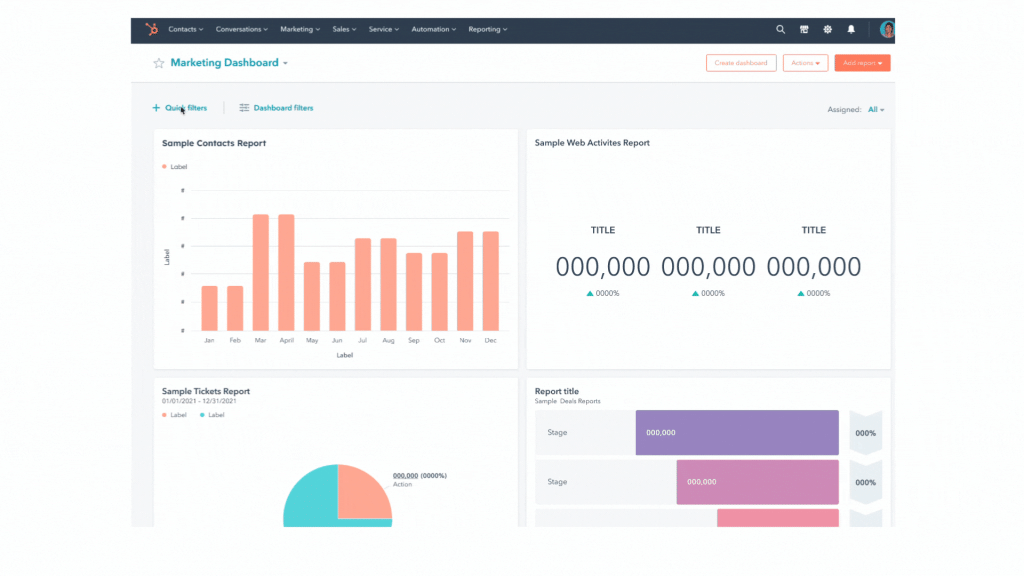
To validate our proposed filter improvements, we rolled out a beta version to a select group of users. The beta included:
- A redesigned filter panel with improved categorization and multi-select options.
- Real-time data updates upon filter application.
- A persistent filter state to reduce redundant selections.
Users were encouraged to provide feedback via in-app surveys and direct communication with our UX team.
STUDY GROUP
The study group consisted of:
- Sales & Support Representatives (50%): Daily users relying on filters for customer segmentation.
- Marketing Analysts (30%): Users leveraging filters for campaign targeting.
- Customer Success Managers (20%): Users tracking customer engagement trends.
We selected 50 participants across industries, ensuring diverse use cases and workflows.
FORMULATING KEY FINDINGS
Through user interviews, surveys, and session recordings, we identified the following key insights:
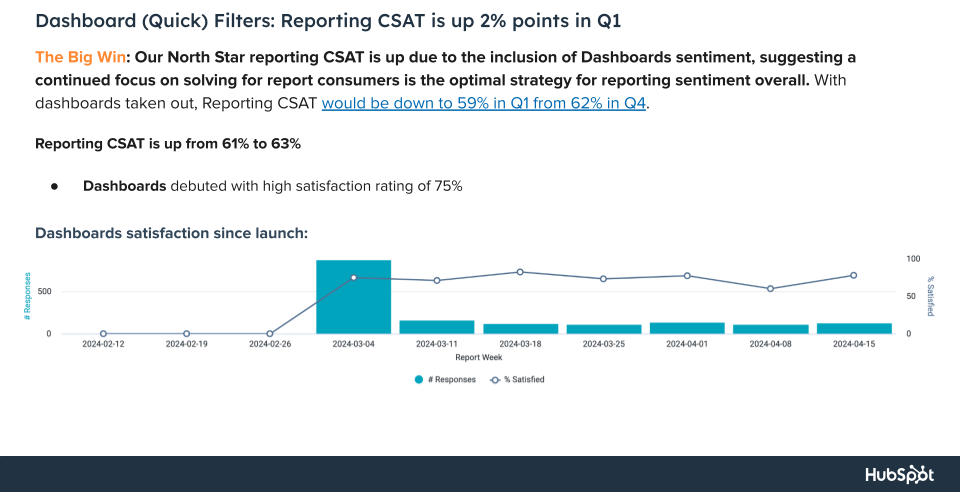
- Efficiency Gains: 70% of users reported that the new filtering system reduced their task completion time by at least 30%.
- Clarity & Discoverability: Users found it easier to locate and apply filters, leading to a 40% decrease in filtering-related support tickets.
- Usability Issues: A subset of users struggled with the new persistent filter feature, leading to unintended carryover between sessions.
SHARING RESEARCH WITH CROSS-PRODUCT TEAMS
To ensure alignment, we presented findings to product, engineering, and marketing teams. Our approach included:
- UX Research Report: A document summarizing usability findings, pain points, and recommendations.
- Live Demo & Feedback Session: A walkthrough of the new filtering system with Q&A.
- Product Roadmap Adjustments: Aligning feature updates with engineering feasibility and business priorities.
SHARING DOVETAIL RESULTS
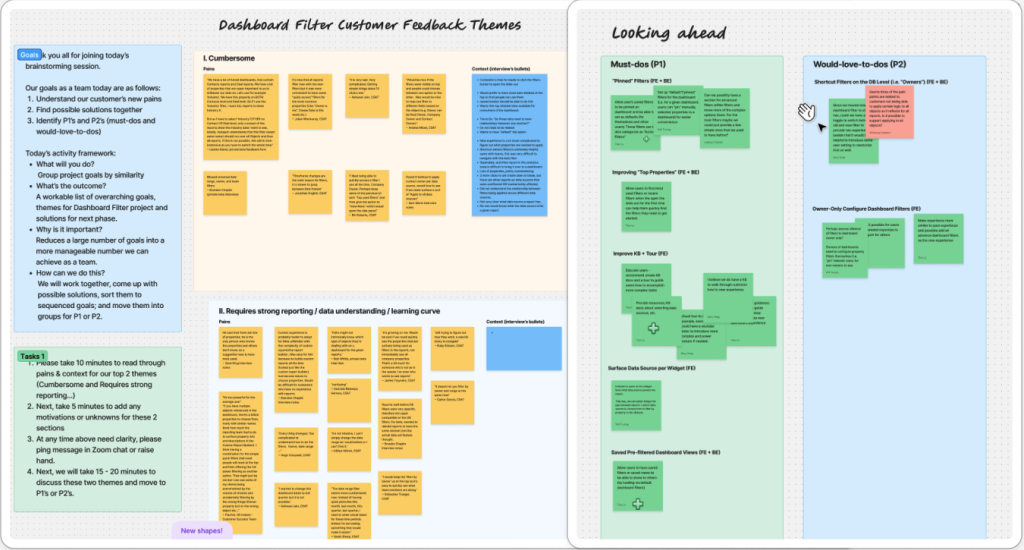
We used Dovetail to analyze qualitative feedback, tagging themes such as “usability improvements,” “efficiency,” and “persistent filter issues.” Insights were shared via:
- A Dovetail board with categorized user feedback.
- A summary report highlighting key pain points and wins.
- A collaborative discussion to address common user concerns.
SHARING AMPLITUDE METRICS
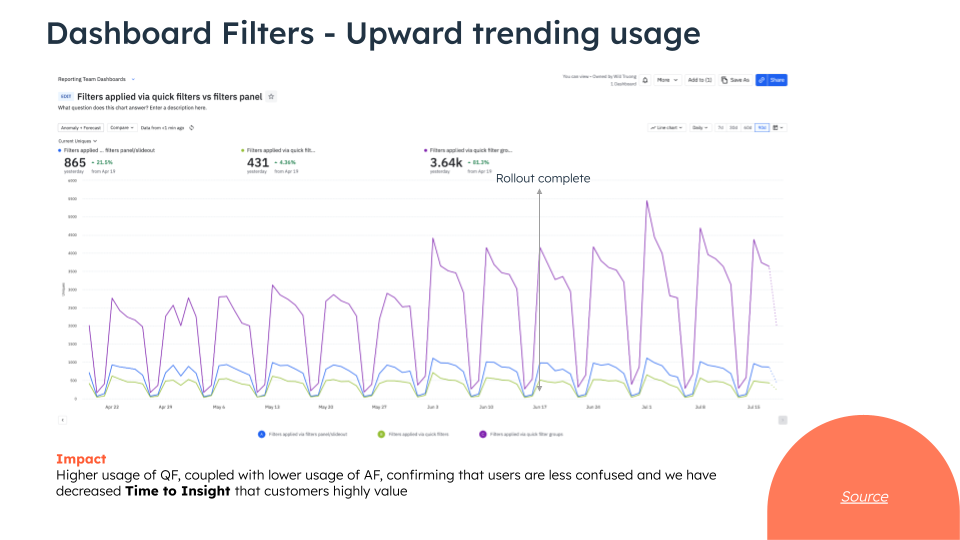
Using Amplitude, we tracked user interactions with the new filtering system, measuring:
- Adoption Rate: 85% of beta users switched to the new filters within the first two weeks.
- Task Completion Time: A decrease in average filtering time from 45 seconds to 30 seconds.
- Drop-off Rate: A 15% reduction in users abandoning the filtering process mid-task.
The redesigned filtering system significantly improved user efficiency and satisfaction:
- Task completion time improved by 30%.
- Filtering-related support tickets dropped by 40%.
- Adoption rate reached 85% within two weeks.
User sentiment improved, with 90% of surveyed users preferring the new design.
The CRM dashboard filter project successfully addressed usability challenges, making data retrieval faster and more intuitive. While most users benefited, persistent filters introduced unintended complexities for some.
- Refine Persistent Filters: Add a clear reset option and improve user education.
- Optimize Performance: Reduce filter load times for large datasets.
- Expand Filter Options: Introduce advanced filtering capabilities based on user feedback.
- Full Rollout & Monitoring: Deploy the update to all users and continue tracking adoption and satisfaction metrics.
By continuously refining the experience, we aim to enhance user productivity and ensure seamless CRM interactions.